WriteGrader has four plans. Grading by hand is free on all of them. Paid plans add the grading assistant, which drafts scores and feedback for you to review.
The plans
| Plan | Price | Papers with the assistant | Who it is for | | --- | --- | --- | --- | | Free | $0 | None | Grading by hand, with every paper in one place | | Plus | $20 a month or $200 a year | 50 a month or 600 a year | One course a term | | Pro | $50 a month or $500 a year | 125 a month or 1,500 a year | A full teaching load, with your team | | Enterprise | Priced per school | One shared allowance | A school or department |
Only Pro and Enterprise include your team. On Pro, your TAs and co-teachers grade with the assistant in your classes, and their papers count against your plan. On Plus, the assistant is for you alone.
How papers count
- A paper the assistant grades uses one paper from your plan.
- Grading by hand is free. If you grade a paper yourself without the assistant, it uses nothing.
- A paper counts once. Regrading it, or the assistant running more than one step on it, does not count again.
On a monthly plan, unused papers end with the month. On an annual plan, you get the whole year's papers up front and use them whenever you grade.
Your balance
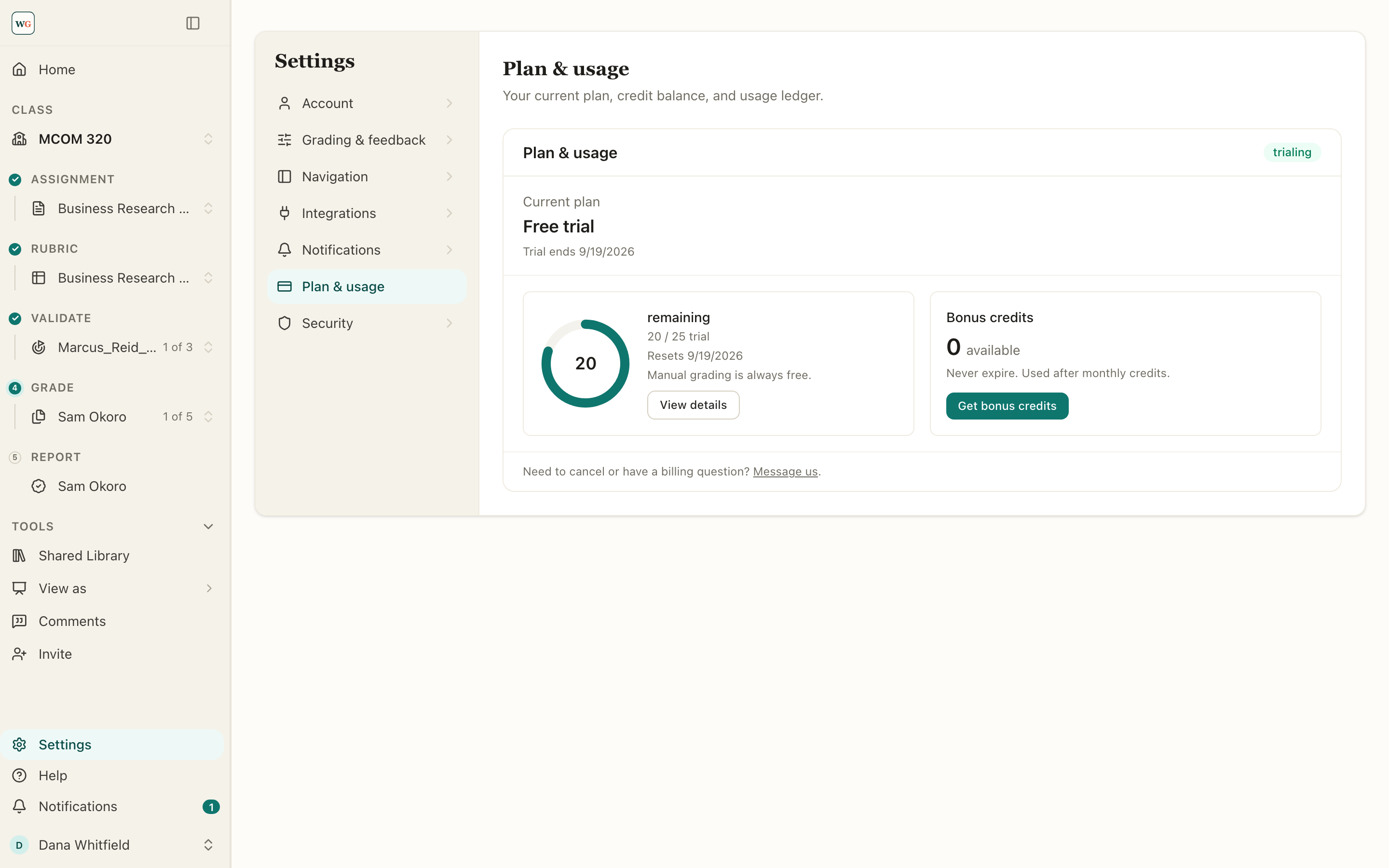
Extra papers you have been granted do not expire, and they are used after your plan's papers. You can see your current balance and usage anytime in your account.
Cancel your plan
Go to Settings, then Plan & usage, and choose Cancel plan. Your plan stays on until the end of the period you paid for, and you are not charged again. After that you move to Free, and your classes, papers and grades stay.
We do not automatically refund the unused part of an annual plan. If you change your mind, choose Keep my plan any time before it ends.
School licenses
If your school has a license, you grade without buying a plan, and Plan & usage names your school's license. A license carries a generous monthly limit, per teacher and for the school as a whole. If a limit is reached, AI grading pauses until the 1st of the next month; manual grading stays free. Message support from your account if you need more sooner.
Getting started
New teachers get a free 14-day trial: 50 papers with the assistant, no credit card. It starts when you set up as a teacher. When it ends you move to the Free plan, where grading by hand and rubric templates stay free and your classes and grades stay put. To keep the assistant, choose a plan in Settings, under Plan.